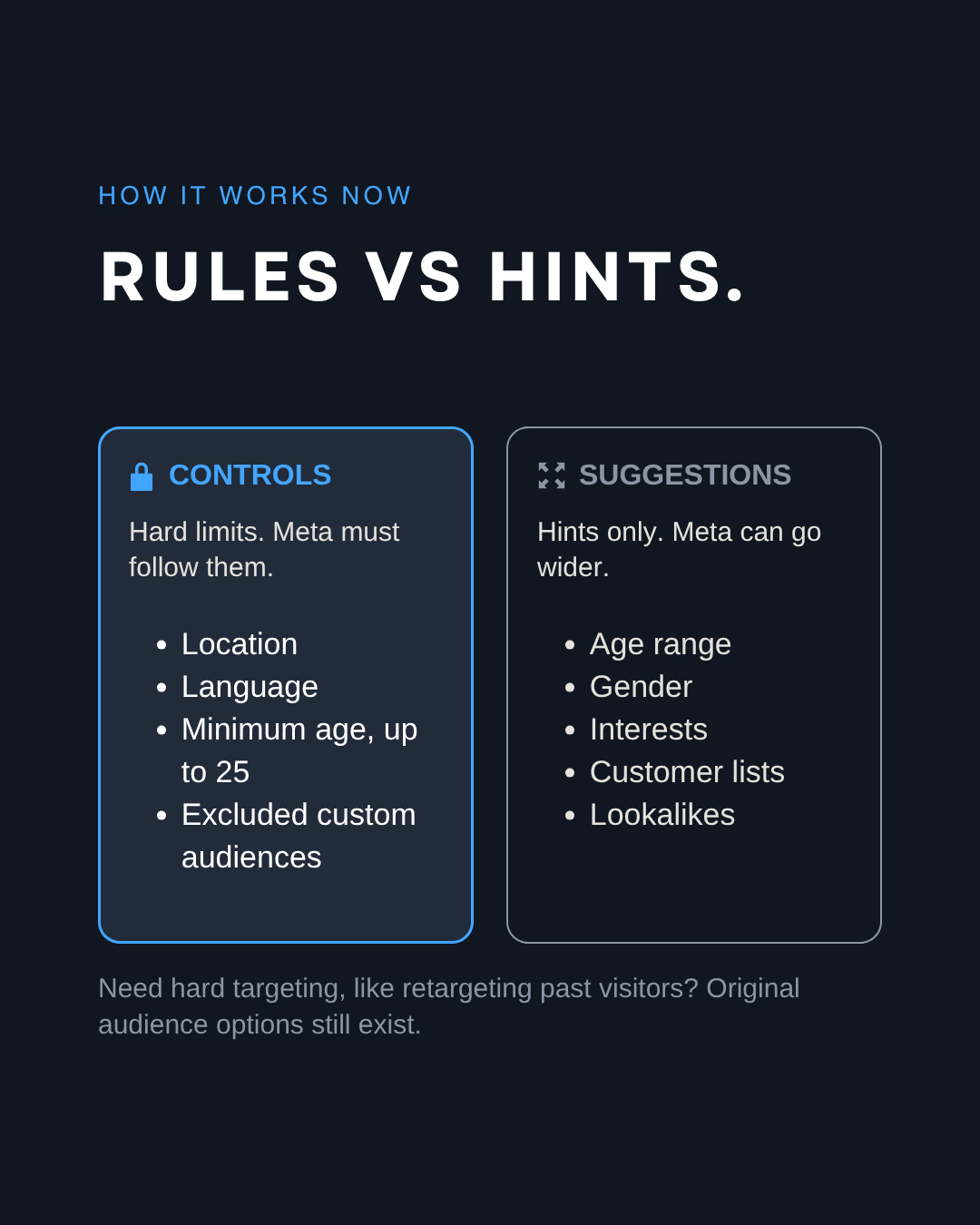
Meta ads targeting still exists in 2026, but it moved. In Meta’s default setup, Advantage+ audience, most of what you used to pick by hand, like age range, gender, interests and lookalikes, is only a suggestion that Meta’s AI can go beyond. Only four settings stay hard limits: location, minimum age, language and the custom audiences you exclude. The rest of the targeting now comes from two places: your creative and the goal you pick.
Here’s what changed, how it works now and what to set up on your next campaign.
What changed in Meta ads targeting between 2024 and 2026?
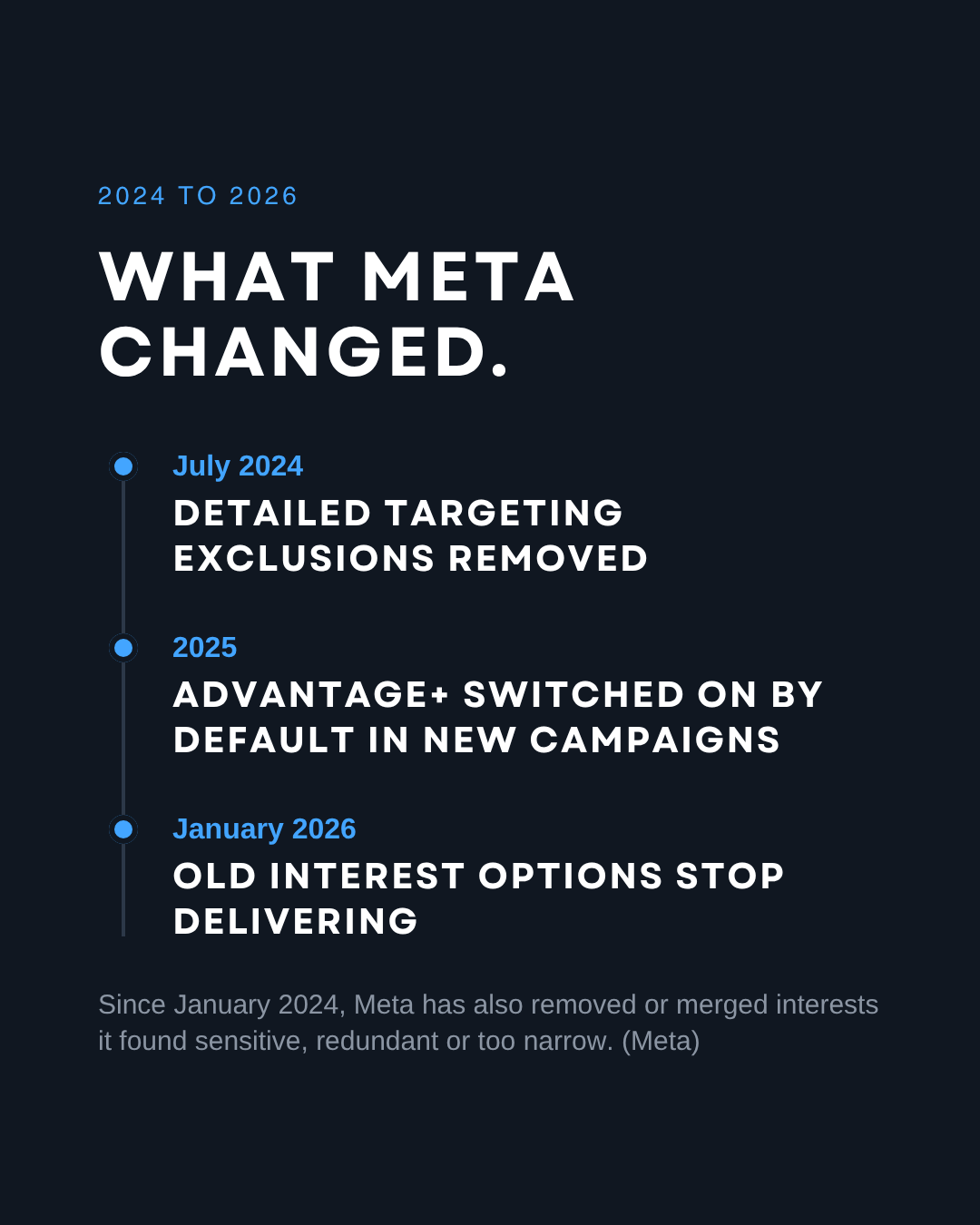
Meta removed or merged many detailed targeting options, removed detailed targeting exclusions and made Advantage+ the default setup. Here’s the timeline:
- January 15, 2024: Meta started removing or combining detailed targeting options it called redundant, too granular or related to sensitive topics like health, race or ethnicity. Ad sets still using them could run until March 18, 2024.
- July 29, 2024: Meta began removing detailed targeting exclusions. New ad sets lost them first, and ad sets that still used them stopped delivering on January 31, 2025. Meta says the median cost per conversion was 22.6% lower without them in its tests.
- February 2025: Meta announced a streamlined Advantage+ setup for sales, app and leads campaigns, with Advantage+ turned on from the start, and renamed Advantage+ shopping campaigns to Advantage+ sales campaigns. The rollout for sales and app campaigns was completed in the second quarter of 2025.
- May 2025: new ad sets created through Meta’s API are opted into Advantage+ audience by default (Marketing API version 23). In Ads Manager, Advantage+ audience had already been the default since 2023.
- August 2025: Meta combined more detailed targeting options. Ad sets using the removed options stopped delivering on January 15, 2026.
- 2026: Meta finished retiring the old Advantage+ shopping and app campaign types in its API (fully enforced on May 19, 2026). In July 2026, its API also stopped setting a country inside lookalike audiences: location now comes from the ad set.
What is Advantage+ audience?
Advantage+ audience is Meta’s default way of choosing who sees your ads. Meta’s AI starts from the broadest possible audience and looks for the people most likely to act on your ad. You can give it hints and a few hard limits, and it decides the rest.
For its new leads setup, with audience, placements and budget on Advantage+, Meta reports on average 10% lower cost per qualified lead in early testing.
What is the difference between audience controls and audience suggestions?
Audience controls are hard limits Meta must respect. Audience suggestions are inputs Meta can go past whenever it expects better results.
Meta’s developer documentation says location, minimum age, language and custom audience exclusions are business constraints that are never expanded.
For suggestions, Meta’s current wording is: “We’ll also reach people beyond any custom audience, age, gender and detailed targeting settings you apply when it’s likely to improve performance.” Meta used to say it would prioritize your suggestions first. That line was gone by early 2026 (Jon Loomer, February 25, 2026).
You can turn Advantage+ audience off and use original audience options to define the audience yourself. Custom audiences can stay strict there, for example to retarget only past website visitors. Even with original audience options, Meta can still widen interests on some conversion goals, and the list of interests to choose from is shorter than it was.
Why did Meta change its targeting?
Two reasons. Meta says some options were redundant, too granular, sensitive or affected by legal rules. And its AI now does most of the matching. Its ad retrieval system, called Andromeda, picks the few thousand most relevant ads for each person from tens of millions of candidates, then later stages rank them (Meta, Q2 2025 earnings call). Meta introduced it in the second half of 2024.
With that much automation, Meta says the focus has shifted “from niche targeting to creative diversification” to find the most relevant audiences (Meta, 2025, as quoted by Jon Loomer). In other words, the ads you upload now have a big say in who sees them.
Is creative the new targeting?
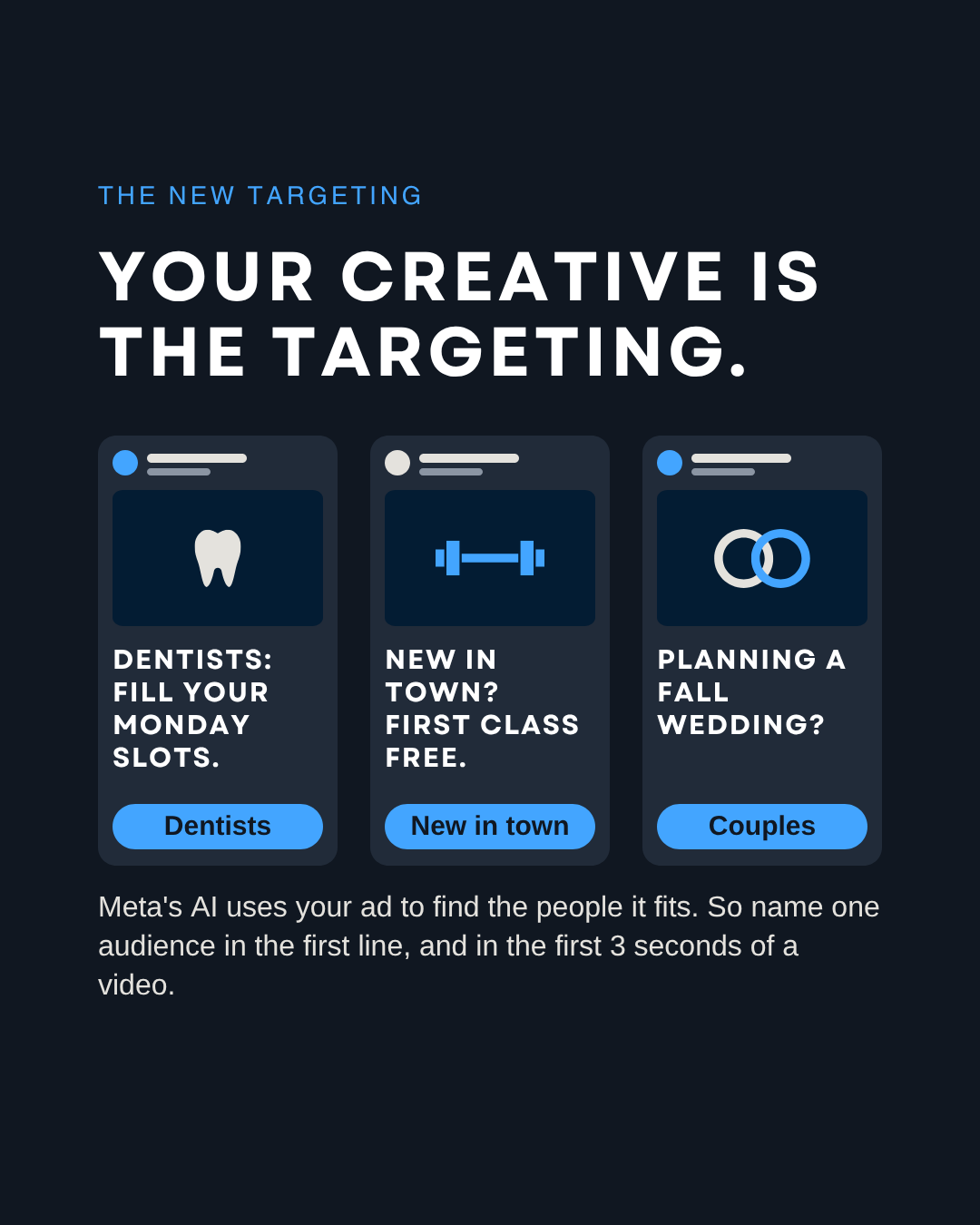
Yes, in practice. Your words, your visuals and the first seconds of your video tell people, and Meta’s system, who the ad is for. The idea is widely repeated by ad buyers, and Meta’s own team said it plainly in 2023: “Creative is targeting” (Henry Kelly, Meta, quoted by B&T).
The data backs it up. In a report by Meta, AppsFlyer and Dentsu covering more than 1.1 million video ads from app companies, campaigns using a diverse set of creatives across formats and messages saw up to a 32% improvement in cost per acquisition.
How do you reach the right people on Meta in 2026?
Define who you sell to, pick the goal that matches how you make money, and give Meta several distinct ads that each speak to one audience. Step by step:
- Make several distinct ads per ad set, each written for one audience. Not the same ad in five colors: a different person, a different angle, a different visual.
- Name the audience in the first line of text and in the first 3 seconds of video. “Dentists: fill your Monday slots.” “New in town? Your first class is free.” “Planning a fall wedding?” The right person should recognize themselves before they scroll. Name a job or a situation, never a personal trait. Meta’s ad rules ban copy that says or implies someone’s age, health, money problems or other personal traits, so “Dentists:” works and “Over 50?” does not.
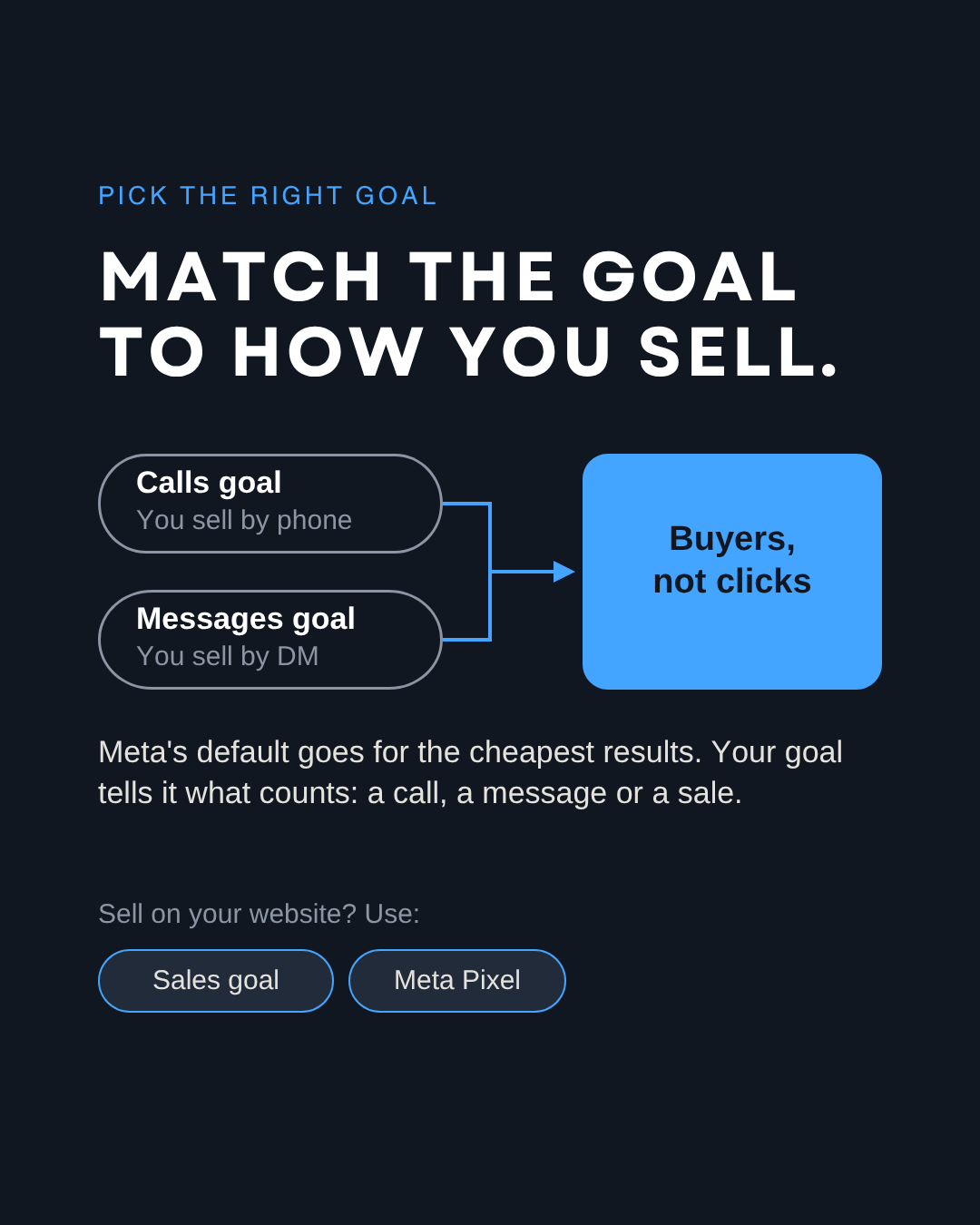
- Pick the goal that matches how you make money: calls, messages or website sales. If you sell by phone or DM, choose the Calls or Messages goal so Meta optimizes for conversations, not clicks. A Pixel only matters if you sell on your website. In that case, Meta recommends using the Conversions API in addition to the Meta Pixel and sending the same events with both, with the same event name and event ID so each one is counted once.
- Add your own audiences: a customer list, your website visitors if you have a Pixel, or a lookalike of your top customers. A lookalike needs at least 100 people from one country to start.
- Define the audience yourself in original audience options, based on who actually buys from you. For example, exclude current customers from an offer for new clients.
- Retarget on purpose. To show an ad only to past visitors, use original audience options with that custom audience.
What do we set up on every ad account?
At 33 Genesis Road, every client ad is optimized for how the client actually makes money: calls, messages or website sales. Here’s what we do instead of Meta’s defaults.
We define the audience ourselves, with original audience options, because we know who the client sells to.
We pick the goal that brings revenue. Meta’s default bid strategy, Highest volume, is built to get the most results for the budget, which means the people cheapest to convert, not the best customers.
Even with original audience options, Meta can still widen interests on some conversion goals. So we check who the ads reach (age, location, placement) and cut what doesn’t convert.
A Pixel only matters if the client sells on their website. If they sell by phone or DM, we pick the Calls or Messages goal so Meta optimizes for conversations, not clicks.
Targeting didn’t disappear. It moved into your ad.
FAQ
Can you still target interests on Facebook and Instagram?
Yes. Detailed targeting still exists, but in Advantage+ audience interests are suggestions, not limits. Meta has also removed or merged many interest options since 2024, and ad sets still using the retired ones stopped delivering on January 15, 2026.
Can you still exclude people from Meta ads?
Yes, with custom audiences such as customer lists, website visitors or people who engaged with your page. What Meta removed is excluding people by interest or behavior, called detailed targeting exclusions.
Is Advantage+ audience mandatory?
No. It is the default for new ad sets, and you can switch to original audience options. Meta shows a warning that this can limit performance. Here’s what we do: we define the audience ourselves in original audience options, then check who the ads reach and cut what doesn’t convert.
Do lookalike audiences still work?
Yes. In Advantage+ audience they work as suggestions. Since July 2026, Meta’s API takes the location for a lookalike from the ad set instead of the audience itself.
How many ads should I put in one ad set?
Meta does not give one number for every account. Here’s what we do: start with several ads that are clearly different from each other, each written for one audience, then keep the ones that bring results and replace the rest.
Get a second pair of eyes
Not sure what your ad account is doing with your budget? At 33 Genesis Road, we offer a free audit of your business, delivered in less than 24 hours. Request it on our free audit page, or message us on LinkedIn or Instagram. For one lesson like this every week, join our free weekly newsletter. See how we run ads and marketing on our services page.
Sources: Meta for Developers, Removal of Detailed Targeting Exclusions (January 21, 2025); Meta Marketing API, Advantage+ Audience reference and changelogs v23 (May 29, 2025), v24 (October 8, 2025), v25 (February 18, 2026) and v26 (July 29, 2026); Meta for Developers, Advantage+ campaign experience for sales and app (June 3, 2025); Engineering at Meta, Meta Andromeda (December 2, 2024); Meta Q2 2025 earnings call (July 30, 2025); Meta Conversions API documentation and best practices; Meta Marketing API, Audiences and Lookalike audiences guides; Social Media Today (January 11, 2024; August 5, 2024; February 6, 2025; June 4, 2025); MediaPost (August 18, 2025); Jon Loomer (2024 to 2026, including February 25, 2026); AppsFlyer press release (April 29, 2025); Meta Advertising Standards, Privacy violations and personal attributes; B&T (October 16, 2023).